Your Cart is Empty

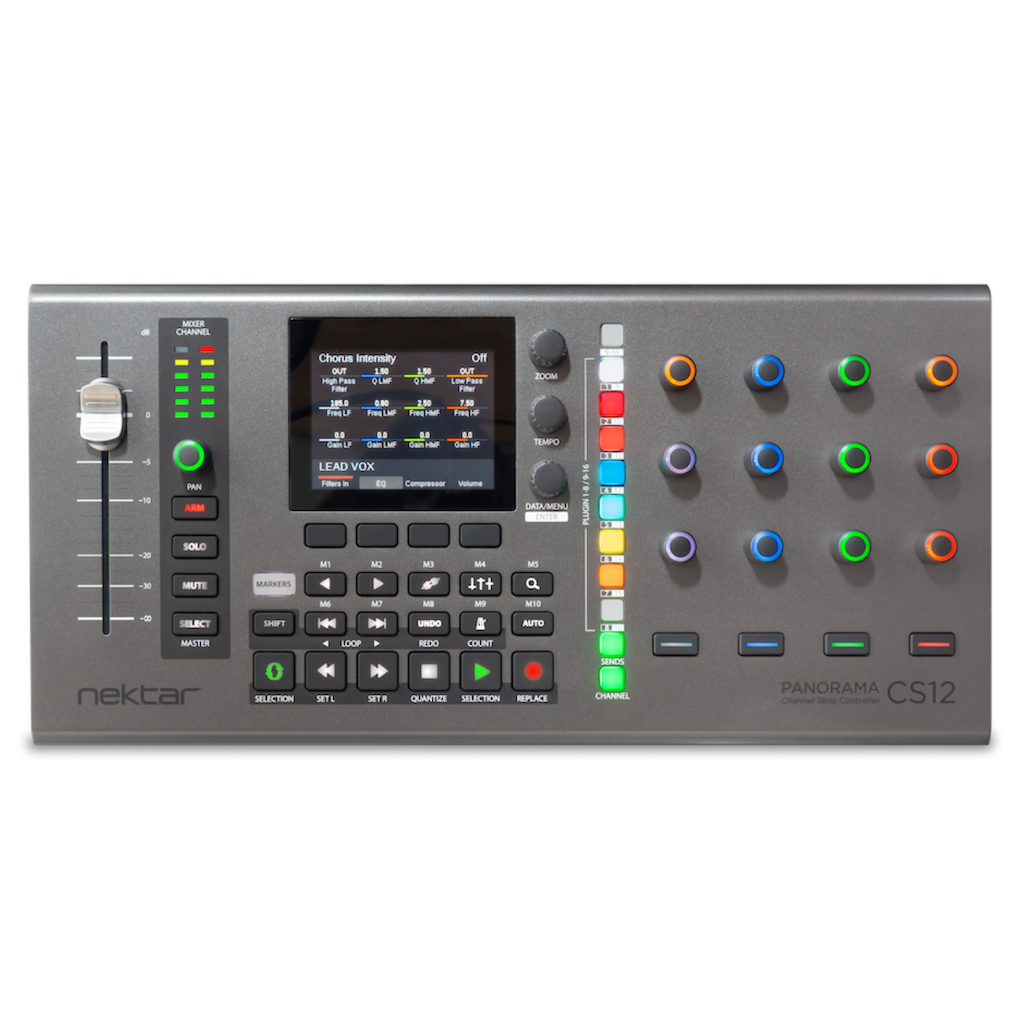
Panorama CS12 is a dedicated DAW channel strip controller initially supporting Logic Pro 10.8 or higher. The compact desktop controller’s liberating workflow is optimised for direct plugin control with one button access to Logic Pro’s plugin slots, sends and channel mixer.
Panorama CS12 does what no other controller can do: Give full control of all Logic Pro channel strip parameters including plugins. There is nothing vanilla about Panorama CS12. The entire workflow is designed from the ground up, which enables astonishing features, with a workflow never seen on a control surface before.
Highlights:
A 100mm ALPS motorized fader follows the selected mixer channel when you work. With up to 14 bit resolution, you get detailed control with touch sensing enabling automation override and update captures in real time.
Paired with a dedicated pan control, as well as buttons for solo, mute and record arm, you have instant access to all main mixer parameters on the selected channel.
Panorama CS12 excels at controlling plugins. You can control any plugin without looking at the plugins’ UI so you can focus on creating, composing and editing.
Many commonly used plugins are pre-mapped including of course Logic Pro’s own. Panorama CS12 dedicates 12 RGB illuminated 360 pots, 4 display buttons and an additional 4 RGB LED buttons to plugin control. Every control can be assigned on multiple pages ensuring as a complete plugin experience, with no parameter left behind.
Via the ControlCore mapping system, it stores all settings in unique files so they can be ported to other computer systems and ensure compatibility with other DAWs in the future.
Control any parameter by simply clicking on it. The 100mm ALPS fader immediately jumps to the clicked parameters position and you take over from there. The fader or pan rotary, can be used to control any parameter in the currently selected Logic Pro channel, at any time.
Activate the Select button and the motorised fader now controls any parameter you click. Any mixer channel, instrument or insert effect plugin parameters. Click, control, click control. Super easy.
A plugin quick learn feature enables assignments on the fly. It’s as simple as moving a parameter and moving a control to complete assignment. And while you are at it, change the LED colour of the control too.
For the ultimate in control mapping, use the included Nektarine application/plugin. Assign parameters to controls using drag and drop, create your page structure and name parameters and pages so they are optimized for CS12. Once saved, plugin maps are picked up by ControlCore for use with CS12.
14 bit control resolution is not limited to the motorised fader. With the Fine button (magnifier icon) enabled each of the 12 pots control at 14 bit resolution. In practice this means you’ll be able to adjust parameters with the same fine grained values available through your plugin’s UI or up to 10 x regular control resolution.
So why not keep Fine on at all times? That’s, of course, possible and maybe it’s even preferable for some users. When you control at 10 times the resolution it’s not possible to scroll through all values in one rotation, you need 9 or 10 rotations – in that case switch ‘Fine’ control off.
Watch the video and move the timeline in your own tempo to see Fine control in action.
Set left and right locators to just the right loop. With complete freedom, move the loop across the timeline by turning an encoder.
Use the dedicated Goto Left and Goto Right locator to jump straight to the loop point.
Create markers and with a button press, move the play head to the marker position anytime.
You don’t have to learn Panorama CS12s power features to appreciate its liberating workflow. It’s the many details like the ability to move through your timeline, that makes Panorama CS12 special.
Panorama CS12 connects directly to Steinberg’s Cubase & Nuendo DAWs and works immediately with existing projects. You can control the mixer channel strip, select insert plugin slots and control any Steinberg plugin or hosted VST/VST3 plugin.
There are options to write automation, control parameters at high resolution, navigate the timeline and click to control any parameter (AI style). Panorama CS12 gives you the most extensive integration ever seen for Cubase & Nuendo.
When you select a channel or track in Cubase, Panorama CS12 is ready for control. The 100mm fader moves to the position of the current channel’s volume setting and the channel color illuminated pot controls pan. The display updates to show the insert plugin list, ready for selection. There are also buttons for track record arm, solo and mute plus a 6 segment VU meter so you can monitor activity on the track.
Traditional 7 bit MIDI resolution is perfect for complete one rotation control of parameters. It does however not give you the option to make finer detailed adjustments so we implemented the Fine (Magnifier) button. With Fine active, all parameters are controlled at their maxime resolution or up to 14 bit (10x standard MIDI). With Fine you can really get in to the detail.
The channel strip and it’s 6 modules Gate, Compressor, EQ, Tools, Saturation and Limiter are key features of the Cubase mixer. Select Channel mode and Panorama CS12 instantly uses the 8 plugin slot buttons to select modules for control. Just press the button illuminated in the color of the module and control it’s parameters. Better still, combine your favorite parameters in 2 user pages using the MIDI Remote Manager.
Each module can be bypassed by holding shift and pressing module buttons or by pass all by pressing the [9-16] button.
Up to 8 channel sends can be controlled for each channel. You just press the dedicated Sends button and start adjusting send levels. In addition, a pre/post page option enables send routing to be set to pre or post fader.
If Quick Controls are already configured, Panorama CS12 will be able to control your track or plugin Quick Control’s immediately.
Track QC’s are a powerful way to control instruments, MIDI effects, a mix of plugin parameters, 8 mixer channels or whatever else you need.
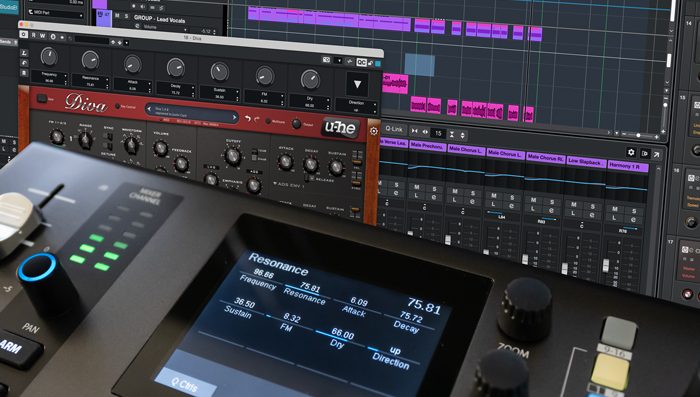
Selected Parameter works similarly to the fabled “AI knob”. Just click a parameter and control it using the high resolution motorized fader. With multiple plugin windows open you just click and control parameters freely. The fader jumps to the parameters current position with updating easy from there. Instruments, effects, channel parameters are all controllable with a simple click. Even if they are hosted on different channels.
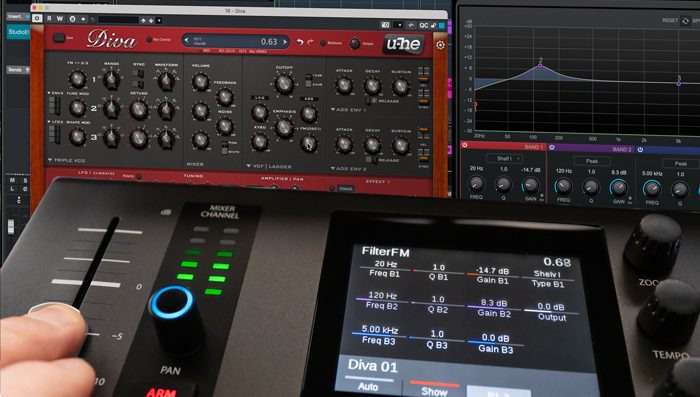
Automation can be activated directly from Panorama CS12. Better still, you can also select automation modes like read, touch, auto-latch, cross-over etc. There are even options that are specific to CS12, such as Auto-touch. With Auto-touch selected, automation is only written when the fader is touched. This allows you to freely adjust any other control without accidentally causing automation capture.
Plugin instrument parameters can be controlled using any of 3 different methods:
Nektarine is capable of managing thousands of instrument parameters and uses the same mapping technology used to control plugin inserts via the Steinberg DAW integration. Read more about how Nektarine works with Cubase & Nuendo.
Panorama CS12 excels at controlling plugins. You can control any plugin without looking at the plugins’ UI so you can focus on creating, composing and editing.
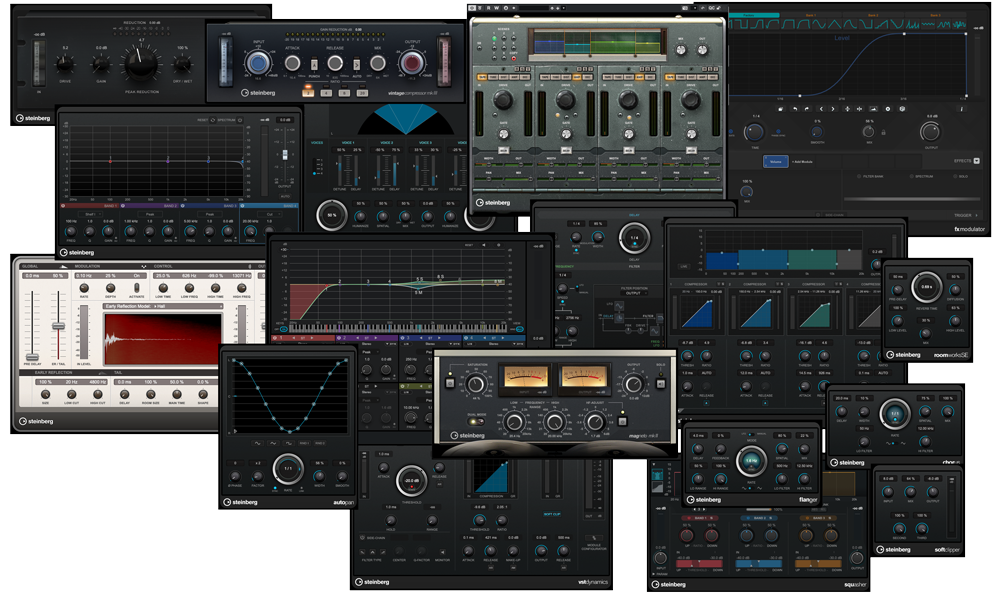
Panorama CS12 is pre-mapped for all the included Steinberg insert fx plugins. Clever mapping ensures that you only control the parts of a plugin that are active (think VocalChain or MultiTap Delay) with color coding used throughout.
Many commonly used plugins are also pre-mapped and even unmapped plugins can be immidiately controlled via 2 pages of default mapping .
Panorama CS12 dedicates 12 RGB illuminated 360 pots, 4 display buttons and an additional 4 RGB LED buttons to plugin control. Every control can be assigned on multiple pages ensuring as a complete plugin experience, with no parameter left behind.
Via the ControlCore mapping system, it stores all settings in unique files so they can be ported to other computer systems and ensure compatibility with other DAWs in the future.
Any plugin that presents its parameters for automation in Cubase, can be controlled from Panorama CS12. There is no wrapper or plugin host. It just works.
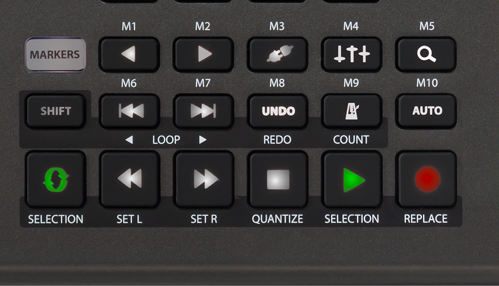
Eighteen dedicated function buttons and the 3 display encoders give direct and secondary access to many Cubase features. You can navigate tracks or channels, open/close mixer and plugin windows, navigate the timeline using encoders or buttons, go to and set locator points, move the current locator loop, set and select markers, undo/redo Cubase changes, activate metronome and it’s countin feature, set tempo plus more.