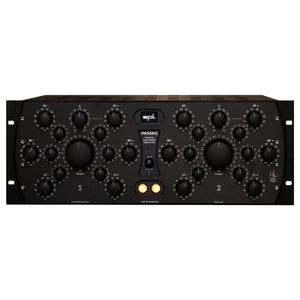
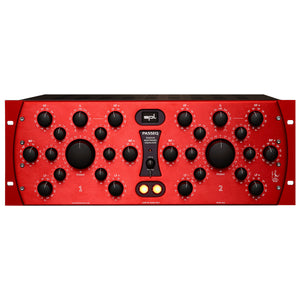
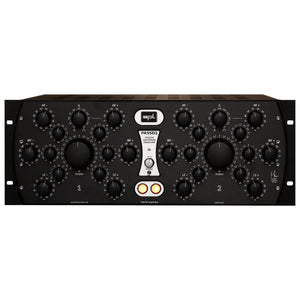
This is a unique equalizer – for several reasons. It has two times five fully parametric filter bands, each of which can be switched between constant Q and proportional Q! And there’s sheer unlimited headroom and a very special kind of EQ sound – thanks to 120V technology.
The Filter Bands
Stepped Potentiometers
Recall of all settings is easy thanks to the potentiometers with 41 steps.
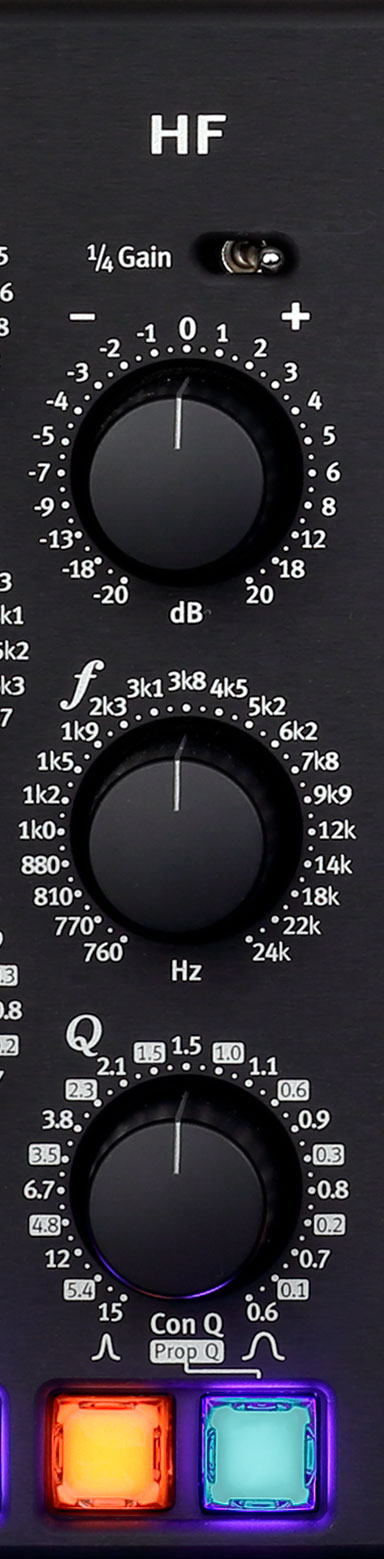
Cut/Boost & 1/4 Gain
Each filter band can be boosted or cut up to 20 dB.
If only minimal changes are required, the 1/4 Gain switch can be used to reduce the boost or cut range from +/-20 dB to +/-5 dB.
Frequencies
We have designed the frequency distribution to overlap widely between the bands, so that problematic frequencies can also be addressed with two bands.
LF
10 Hz – 330 Hz
LMF
33 Hz – 1 kHz
MF
128 Hz – 4.1 kHz
MHF
310 Hz – 10.2 kHz
HF
760 Hz – 24 kHz
Bandwidth Q
The bandwidth Q determines the steepness of bell characteristic. A small Q is a wide bandwidth and a high Q a narrow bandwidth.
The labeling of the scale is divided into two parts. The values with white background refer to the proportional Q mode and the values without background refer to the constant Q mode.
On/Off
The orange button is used to switch the individual filter band on and off.
Constant & Proportional Q
The blue button is used to toggle the Q mode.
In constant Q mode, the amplitude is constant regardless of the selected bandwidth. This is ideal for eliminating interfering frequencies.
In proportional Q mode, the amplitude is proportional to the bandwidth. It decreases with increasing bandwidth and vice versa. At the smallest bandwidth setting, the maximum amplitude value is +/- 20 dB, while the maximum amplitude decreases to +/- 2.8 dB at the largest bandwidth setting. This control behavior simplifies sensitive, creative processing and is musically very useful, since high amplitudes become increasingly unusable with increasing bandwidth.
Recently viewed products
PayPal Pay Later Messaging
Step 1: Choose message placement
Click the button below and then hover over your page to select a placement.
Step 2: Paste and save
You have copied the placement for the Product Page.
Go back to the App Embeds section, and in the Paypal Advanced Settings, paste the copied value into the
Product Page field and click the 'Save' button in the top right corner.